Recent stats show that over 60% of youths watch live streams daily. Streaming online platforms have provided a haven for them to catch up with trends and be informed. Most streamers are there for entertainment after a hard day, and it is helpful if it is not as cumbersome to enjoy a show.
How we do our streaming determines how effective it will be to get the required purpose. Many factors determine how we enjoy our streaming, and all of this has to be at its best. This involves not having restrictions on content and strong connectivity, among other factors.
While dealing with geo-restricted content, Crazystreamers explains well on how to access geo-restricted platforms from anywhere in the world. This is regardless of the device in use or operating system.
This article has outlined the best ways to enjoy your favorite content from any streaming device to ensure the choice of your device does not hinder you. Learn how to mirror your streaming device for better broadcasts in the simple steps outlined.
Apple devices / AppleTV
Apple TV+ stands on the honors of having the best streaming quality over any 4K streamer. This only shows how beneficial it is to use Apple devices for your streaming on Netflix, Disney or any other platform. They hold more advantages than you may know. Here are some of the benefits of online streaming with Apple devices.
The Siri Remote
Nothing could be better than giving commands to your streaming devices in your comfort. This is what the Siri Remote enables you to do. With only a simple gesture, click or command, it takes you to what you want.
The Smart Home technology
Apple devices have made this possible by synchronizing all compatible devices to your phone, and you are good to go. It allows you to make commands such as heating your room, locking doors, or playing music despite your proximity.
The huge range of apps it supports
The Apple TV not only comes with pre-installed entertainment apps but also enables you to add more limitlessly. You can add music and streaming apps and enjoy thousands of live channels you are subscribed.
Screen Mirroring
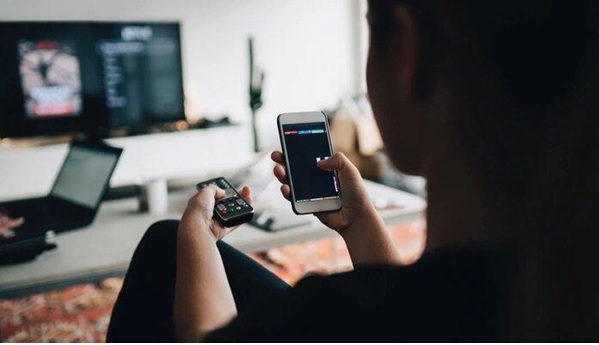
The screen mirroring technique lets you view your phone’s screen from another device. This may be a TV, Projector, Mac device, or any device that supports mirroring. You can game, watch shows, or stream content from your preferred view. Mirroring has its advantages, and below are the benefits of mirroring your phone to devices.
- Screen mirroring is essential in meetings as any team member can share their screens to project their presentations without the tiresome process of having to transfer presentations.
- Meetings are easily set up with less assistance from IT experts or delays.
- The presenter controls the data they share and can edit it easily from their device.
- Users can increase productivity as they facilitate communication by using simultaneous screen sharing.
- Cost is saved since anyone can bring their device and share content instead of having to pool it together before showcasing it.
Below is how to mirror your phone.
Knowing the importance of screen mirroring in streaming and content display, here are the steps to mirror your phone.
Apple Devices
To mirror your iPhone to apple devices, such as a TV or a projector, you will need to
- Ensure you connect the two devices to the same wifi network
- Go to the Control Center on your phone
- Select the Screen Mirroring option
- Choose the compatible device you wish to mirror your phone to.
- A passcode may appear on your phone, which you are to key in on the device you are mirroring to.
- Now enjoy screen mirroring your content.
To stop mirroring, go back to Control Center on your phone, click screen mirroring, and select Stop mirroring.
Android devices
The size of your Android device screen is not ideal for every activity and once in a while need arises to have a larger display. Here is how to mirror your android phone or tablet to your screen.
- Open the quick settings panel by swiping down your screen. (If the option is not on the quick settings panel, hit the pencil icon to edit the panel and select it from icons that aren’t available.)
- Select the option tagged “Screen Cast.”
- Select the device you want to mirror your screen to.
- Watch as your screen shows up on the TV screen after a few seconds.
To stop mirroring, go back to the quick settings panel and turn off casting.
Chromecast
While using the Google Home App installed on your TV, the Chromecast is the best way to go. The Home App mediates connectivity for better results and options. You should have the app installed on your phone and on the device you wish to project to. Here are the steps to mirror your screen to a TV using Chromecast.
- Launch the Google Home App on your phone.
- Select the Chromecast device on the list of those available.
- Accept the prompt warning that your screen will be visible to anyone in the room.
- Now select the content you wish to view on your TV screen.
When you are finished mirroring, there is an option on the Home App that allows you to Stop Mirroring.
Roku Mirroring
If you own Roku, you are in luck since Roku 2 2015 models and models later support screen mirroring. They allow Android, Windows, and PC to mirror content easily. Here are some easy steps to go about it.
On your Roku,
Go to the settings and select screen mirroring, then enable it.
On your Android device,
- Go to settings
- Select Display
- Chose Cast Screen
- Then enable wireless display from the menu button on the top left corner
- Now select your Roku device and stream your content.
On your Windows device
- Go to Settings
- Select PC and Devices
- Select Devices
- Then add Device and choose your Roku.
On a compatible Windows Phone
On a compatible windows phone, you’ll need to
- Go to Settings
- Select Project My Screen
- Choose your Roku Device
- You are good to go.
Conclusion
Online streaming is a new lifestyle and an easier way of accessing and sharing content. Knowing tips to maneuver around amazing features on your phone makes the streaming experience worth it. With the steps given, you can manage to mirror your screen on almost any compatible device.