
We have all been there. You log into your preferred streaming service, and you can’t find what you’re looking for. The Netflix app on your phone is crashing, or the website takes forever to load.
However, we are here to help ease the pain points of using these services and learn how to watch them by offering some helpful tips and tricks.
From time to time, technology is constantly changing and improving. Innovations like 4K, VR, and 360-degree video streaming are becoming more popular than ever.
The next time you are looking to stream online, take advantage of these tips on making your experience more amusing.
Start Using VPN!
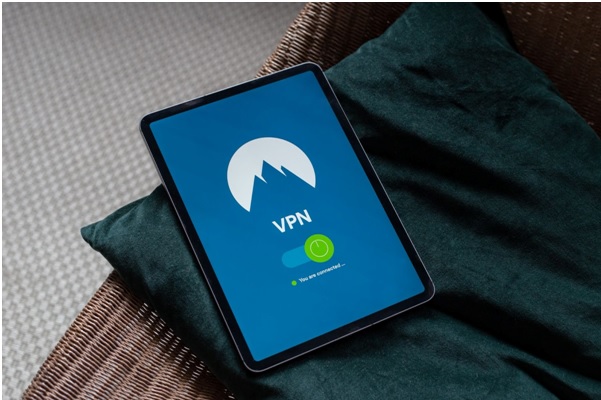
Our first and foremost suggestion is to make VPN your streaming must-have. A VPN is an excellent tool for anyone looking to improve their streaming experience.
Primarily, a VPN allows you to create a secure connection between your streaming device and the internet. Which in turn helps protect your privacy and security.
In addition, it allows you to access more streaming content from around the world. Thus, giving you the freedom to explore new shows on Netflix or BBC iPlayer from wherever you are in the world.
Not only that, but a VPN also encrypts your ISP’s Internet traffic without revealing that you have been streaming. As a result, you’ll have constant bandwidth to watch your favorite shows without buffering.
Turn on Subtitles!
As we know, Squid Game, Lupin, and Money Heist are among the most-watched foreign language shows out there. Streaming and enjoying these shows would have been impossible without Netflix’s subtitles.
Therefore, Subtitles are a powerful tool for improving the streaming experience for viewers. Translations are no longer delayed, and you get to keep up with the plot. Also, it allows you to customize and personalize the experience for certain groups of viewers.
To sum up, with subtitles you would be able to know all of Professor’s plans during the Heists in all seasons of Money Heist. And you will be on track with what games the players play in Squid Game.
These different languages will no longer hold you back from being entertained limitlessly.
Connect Fewer Devices!

With the rapid increase in the number of connected devices, the need for a good streaming experience has become a crucial requirement.
Although, it is beneficial to have multiple device options when it comes to viewing content online. But, some users may find that their overall experience is compromised. Due to a large variety of devices accessing their broadband connection at once.
This can result in slower load times and reduced video quality on all connected devices. To prevent this, make sure that you have fewer connected devices while you’re streaming.
Remove Temporary Caches Regularly!
When streaming video, temporary cache files are something you should think twice about. This is because all those short clips and segments of the video you watch during a single stream will be temporarily stored on your device.
Eventually, these small files can quickly add up over time to take up space that could otherwise be used for other things. And when they run out of space, they will start deleting those temporary files, which can cause problems while watching videos later on.
Thereby, you must remove unnecessary caches in a few clicks by reaching for your device’s settings. As it will help to gain a smooth streaming experience.
Reach for Noise Cancellation Headsets!
When you are streaming games or other forms of media online, audio quality is one of the most important things.
A lot of people don’t know this, but there are different types of headsets to pick from. There is the typical headset that most people know about, and then there is another type which is called a noise cancellation headset.
Specifically, this type of headset has a feature that filters out background noises and reduces unwanted sound from surroundings. It makes streamers happy because they experience theatre-like feels.
Use the Download Option!
What people really want is to watch videos anytime, anywhere. However, sometimes the experience is less than ideal. With videos constantly buffering, you are never sure if it will play or not.
There’s a solution to it. It’s called “Download for Later Viewing.” It’s a feature that lets users download videos to their devices and watch them offline later. It’s easy to use and has proved to be very popular among consumers.
Try Ethernet connection!
Our last favor to you is recommending an Ethernet connection that is better than Wi-Fi for the streaming experience. It’s more stable and consistent as well.
So, if you are interested in taking your streaming experience to the next level, you should switch to Ethernet (via cable).